Configure self-consumption and battery
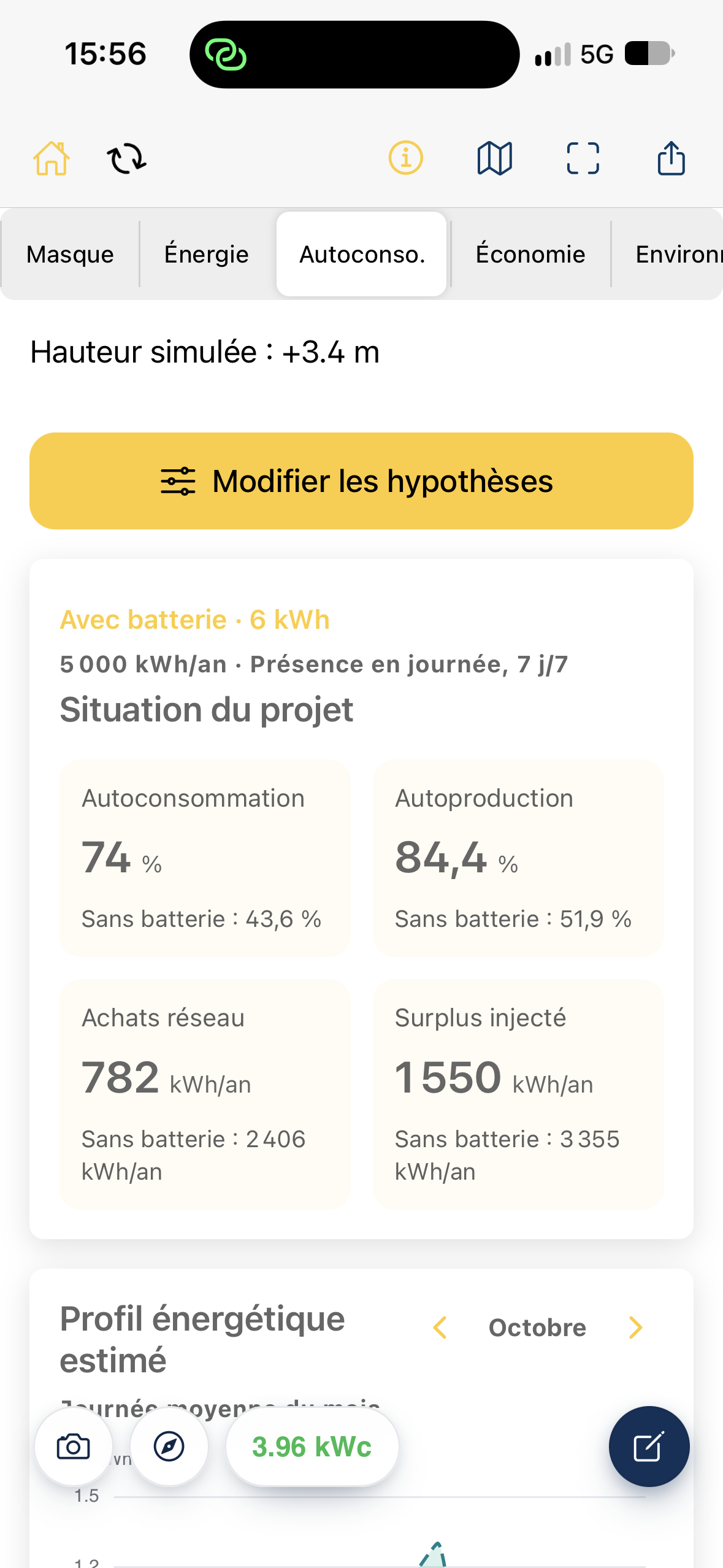
Azimutis estimates PV production used directly on site, remaining grid electricity purchases and the potential effect of a battery. The calculation uses annual consumption and a consumption profile, among other inputs.
Open the assumptions
Section titled “Open the assumptions”- Open your project, then Self-cons.
- Tap Edit assumptions, or open the general assessment settings.
- Expand Self-consumption.
Enter site consumption
Section titled “Enter site consumption”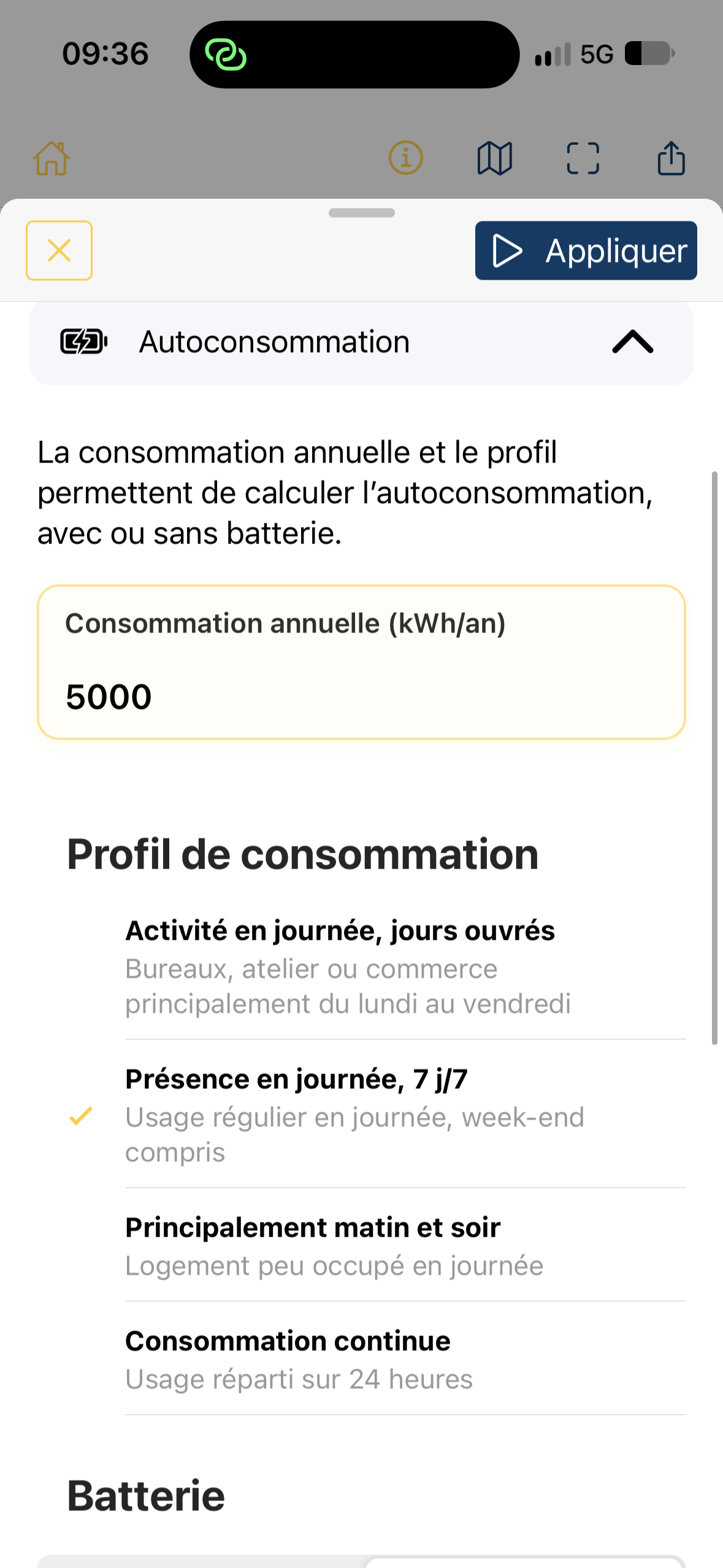
Under Annual consumption (kWh/year), enter the site’s yearly electricity consumption. Use bills or consumption data where available rather than an approximate value.
Choose a consumption profile close to the building’s use. It represents how demand is distributed throughout the day and week, not just the annual total. The four profiles cover weekday daytime activity, daytime occupancy seven days a week, mainly morning and evening usage, and continuous consumption. These are typical profiles, not actual meter readings.
For example, 5,000 kWh/year can produce different results depending on whether activity is concentrated during daylight hours or spread across 24 hours.
Choose a scenario with or without a battery
Section titled “Choose a scenario with or without a battery”Under Battery, choose Without battery or With battery.
- Without battery: the calculation includes only PV electricity consumed as it is produced.
- With battery: it also estimates storage and later delivery of some energy under the selected settings.
If you enable a battery, choose the sizing mode next.
Automatic mode
Section titled “Automatic mode”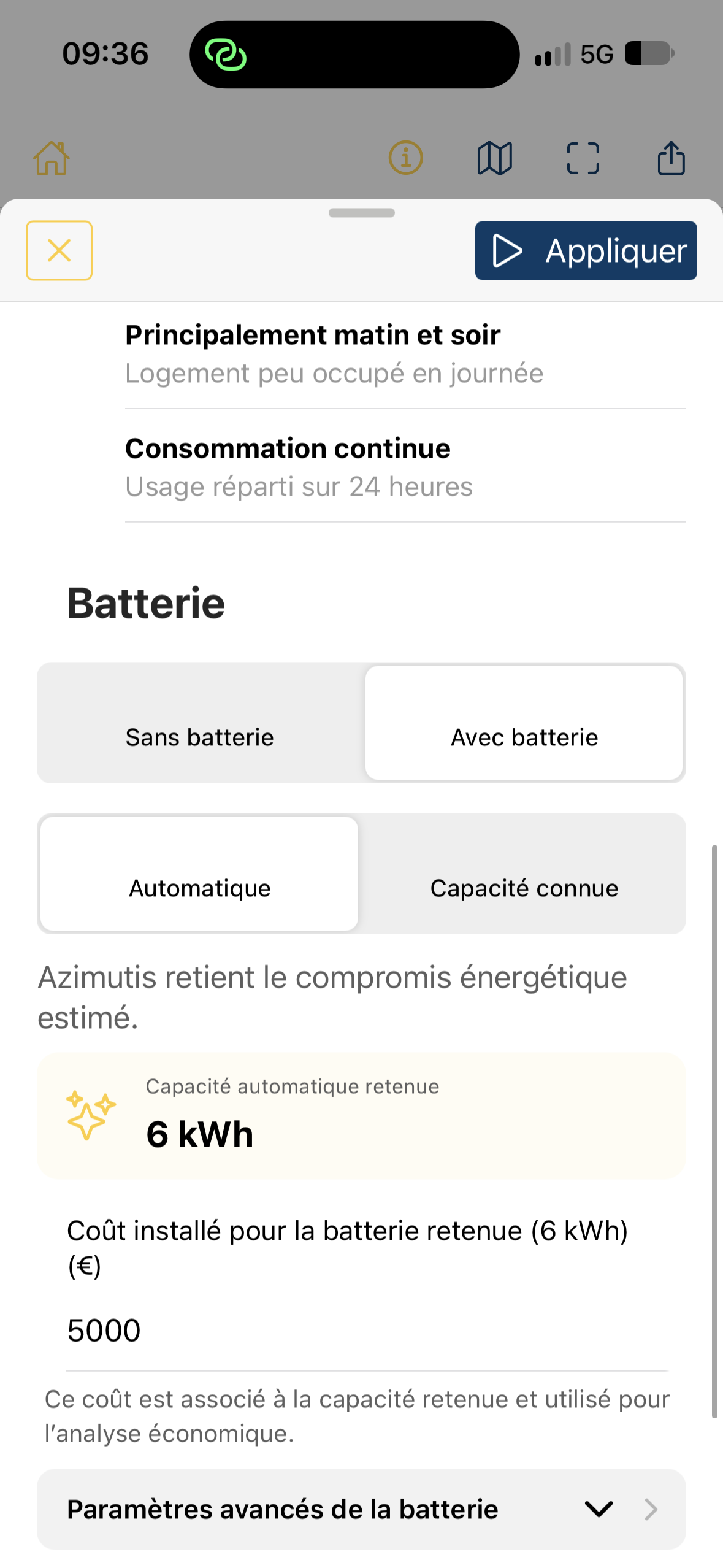
In Automatic mode, Azimutis suggests a selected automatic capacity, presented as an estimated energy compromise, in kWh.
This capacity does not necessarily maximize financial profitability. Consider actual cost, installation constraints and the battery model separately.
Known capacity mode
Section titled “Known capacity mode”Choose Known capacity if you have already selected a storage capacity or want to simulate a specific value. Enter capacity in kWh.
When preview results are available, Capacity effect shows self-consumption and self-sufficiency curves, with a marker for the estimated automatic compromise. You can select suggested capacities to inform your choice.
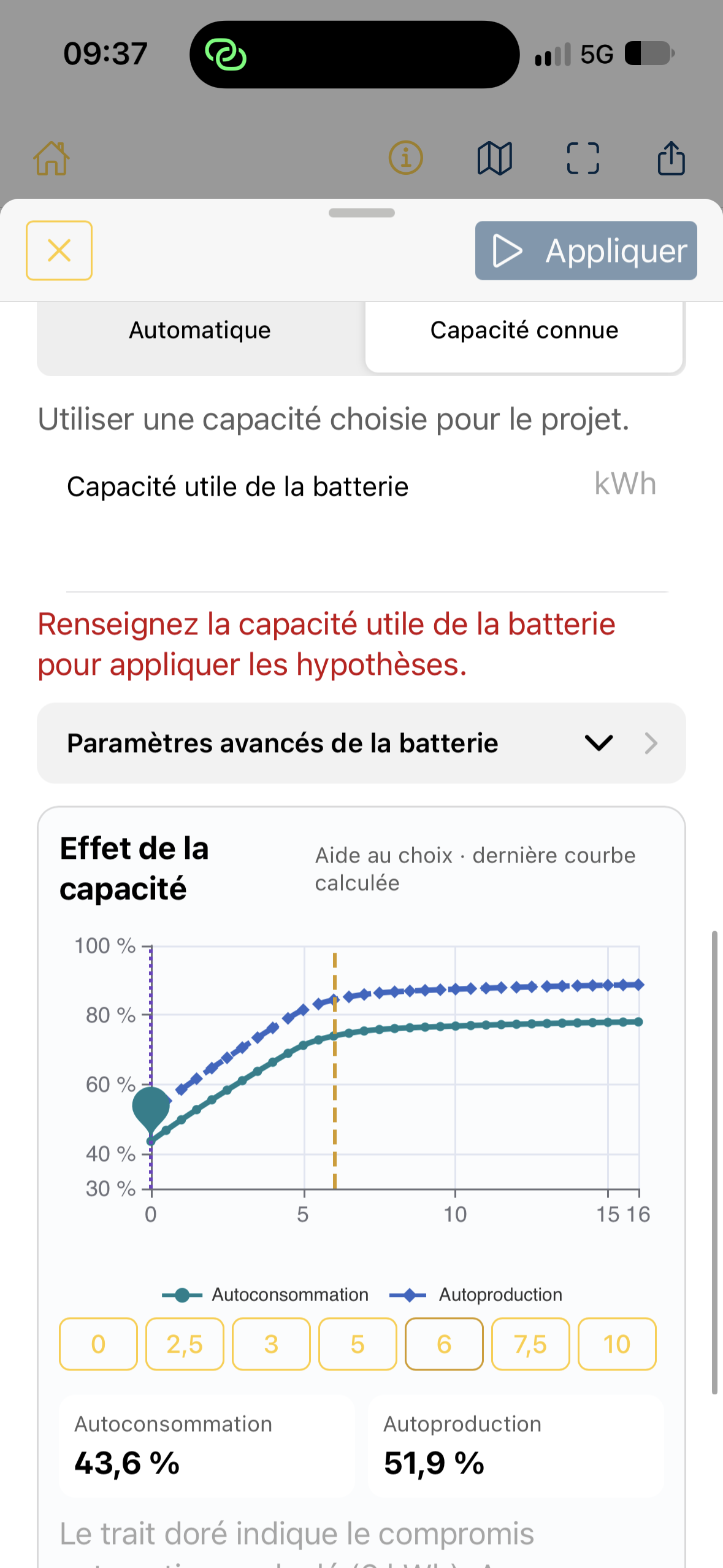
This guidance may reuse the last calculated curve. After changing capacity, tap Apply to obtain updated results. If usable capacity is left blank in manual mode, the apply button may remain disabled.
Enter cost and advanced settings
Section titled “Enter cost and advanced settings”When a battery is enabled, enter its installed cost for a meaningful economic comparison. In automatic mode, the field indicates that this cost relates to the selected capacity. Without a cost, energy analysis may remain available, but a complete financial assessment of PV + battery is not calculated.
Advanced battery settings include maximum charging power and maximum discharging power in kW. Power in kW is a rate of energy transfer, distinct from storage capacity in kWh.
Other financial assumptions—electricity purchase price, surplus revenue, investment and projection period—are under Economy. See Set economic assumptions and Set lifetime and replacements.
Battery and project lifetime
Section titled “Battery and project lifetime”The battery simulation uses estimated consumption and production profiles. For multi-year projections, Azimutis applies the configured annual capacity loss. If replacement is enabled, simulated capacity returns to its initial value at the scheduled replacement. The corresponding cost appears in cash flows. These settings are under Economics → Lifetime and operating costs.
See Set lifetime and replacements.
Apply the assumptions
Section titled “Apply the assumptions”Tap Apply at the top of the panel. The assessment then uses the selected values, subject to analysis access and valid field entries.
Points to check
Section titled “Points to check”- Results represent an estimated energy profile, not meter readings or a simulation based on minute-by-minute measured consumption.
- A battery can increase self-consumption without improving project profitability.
- Check that the entered cost matches the displayed capacity, particularly after changing Automatic mode or consumption assumptions.